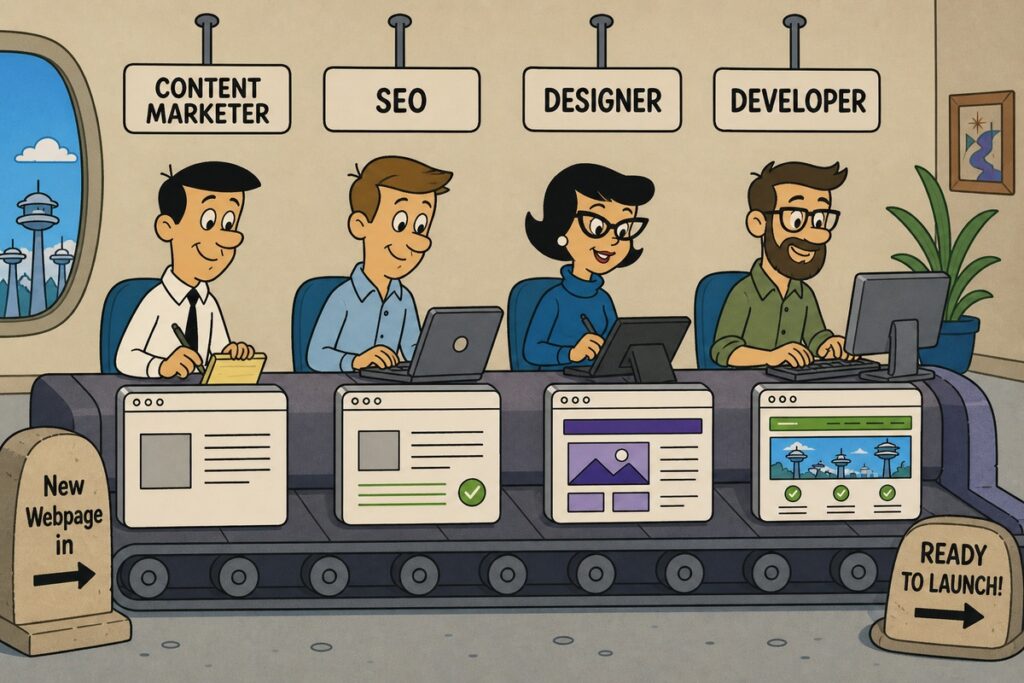
For most of the last decade, shipping a single website page meant sending it through a relay race. A content marketer wrote a brief. A designer turned it into a mockup. An SEO specialist weighed in on titles, headers, and schema. A developer translated and implemented the design into a CMS template, fought with the page builder for a day, and finally published. Somewhere along the way, mobile broke. Someone forgot the schema. The CMO wanted one more revision.
A new website page took a week or two. Sometimes longer. It involved four to six people across multiple disciplines: content, SEO, design, and development. Most of the calendar time was spent waiting in a queue or absorbing kickback from the previous handoff.
That workflow is dying. And no one is sad. We've watched it start to die over the last few months across our client base, and the death has been sharper and faster than any of us expected. We're now publishing landing pages in a day or two with two people, sometimes one, and the pages are better than what the conveyor belt produced. Better content, better SEO, tighter brand alignment, faster performance.
This post is for people involved in website management trying to understand what's actually changing, what the new workflows look like in practice, and how to think about the people and tech to run a marketing site in 2026. We'll show real tools, real examples, and the specific stack we're recommending and implementing right now.

The Old Conveyor Belt: Two Versions, Same Bottleneck
Before we look at what's replacing the traditional workflow, it's worth being precise about what was actually broken. There were two dominant flavors of the old approach, and both had the same structural problem.
Version one: the full specialist relay. Content marketer drafts copy in a Google Doc. Designer builds a mockup in Figma using the brand guidelines. Developer takes the Figma file, builds the page in WordPress (or whatever CMS the site runs on), and wrestles with the page builder until the design is reasonably faithful. SEO reviews the page for target keywords, meta description, header structure, and schema. Stakeholders review. Revisions go backward through the chain. Publish.
This produces high-quality work when it works, but it takes a week or two minimum, eats real team time, and the kickback loops are brutal. Designers ask developers to implement layouts the page builder can't easily produce. SEO catches issues after the design is locked, forcing rework. Content gets revised after the design is built, breaking the layout. Each handoff is a friction point.
Version two: the page builder shortcut. A content marketer or generalist designer works directly in some flavor of a WordPress PageBuilder: Elementor, Kadence, or Beaver Builder, etc.. They skip the design mockup step. The benefit is they can't design something the site can't build, because they're building inside the constraints of the existing system. The downside is you're now asking one person to handle copy, layout, mobile responsiveness, schema, page speed, and SEO, usually without deep expertise in any of those except the one they came from. Pages built this way tend to be either visually safe and SEO-weak, or visually creative and technically broken. Whoever is at the helm driving the page builder, you’re asking a lot of them!
The structural problem in both versions is the same: specialized expertise is gated behind specialized people, and the page can't move forward until each gate opens.
In the new world arriving, AI doesn't eliminate the expertise, it eliminates the gates.
What Actually Changed
Here's the thesis: a generalist with the right AI tooling can now produce work that's competitive with, and often superior to, what a four-person team produced a year ago. The expertise hasn't disappeared. It's been encoded into the tools, the project structure, and a set of well-designed guardrails.
Three things had to be true for this to work, and all three are now true:
- AI coding agents are increasingly good enough to translate intent into production-ready code. Cursor and Claude Code can take a content brief, a screenshot, or a few sentences of direction and produce real components in a real codebase. Not cheesy play demos. Production code that ships.
Caveat: we do think good guardrails and final expert reviews are wise. - Modern web stacks are AI-friendly in a way WordPress with a PageBuilder never was. A headless Astro site with a typed component library, Tailwind for styling, and a clean CMS like Sanity gives an AI agent everything it needs to make consistent, on-brand work. The codebase itself is the design system.
- Brand / Design, Voice, and SEO context can be captured in markdown files that AI agents read on every task. A design.md file, a seo.md file, and a sandbox page demonstrating the brand in practice are enough to keep a generalist's output inside the same guardrails a senior designer and SEO lead used to enforce by hand.
The stack we recommend and most often build on: Astro or Next.js, React, Tailwind, Sanity or WordPress as a headless CMS, and Netlify, Vercel, or Cloudflare Pages for hosting. The whole thing is driven from Cursor or Claude Code in the developer's editor.
We’re not alone here, the buzz from agencies on LinkedIn and X shows many are arriving at a very similar tech stack - because it works!
The Non-negotiable Guardrails That Make This Work
This is the part most teams miss when they try to "use AI" and conclude it doesn't work. AI alone doesn't replace the conveyor belt. AI plus a deliberate set of project-level guardrails does.
These guardrails use Agents, Skills, and Markdown files to help AI know how best to approach a problem or creation. These are CRUCIAL for good design, dev, security, and SEO.
Here's what we set up on every client project before anyone starts building pages.
Design & Front-end Implementation Guardrails
When working inside the codebase with an AI agent, the agent should be instructed to read your existing components, design variables, and global stylesheet directly, not a parallel markdown file restating them. Fonts, hex codes, radii, and spacing all live in your global CSS, your Tailwind config, and your component library. The agent can read those with more precision than any markdown summary.
A design guidance file (sometimes still called design.md) is still useful, but its job is different than we initially described. Rather than restating what the codebase already declares, it should point the agent at the right places and give it rules for composition. Something like: "When creating new components, use the existing primitives in components/ui/. Use color combinations defined in utils/colors.js. Stay on the spacing scale defined in tailwind.config.js." That's true direction. The agent then reads the actual values from the source and uses them correctly.
The one thing the codebase genuinely can't tell the agent is brand voice. That's where a markdown file is helpful: tone, vocabulary, what to avoid in copy. Voice doesn't live in CSS variables, so it has to live somewhere the agent can read it.
The design.md file. This lives in the repository and gets read by the AI agent on every task that involves a design request.
The honest test for any line in this file: Can the agent figure this out by grepping the codebase? If yes, it shouldn't be in the file. If the line is a rule about how to use something in the codebase ("never use primary as a background," "always use the type scale, never introduce new sizes"), it belongs. If it's a restatement of what the codebase declares, cut it.
A real one looks something like this:
# Brand Design System

## Colors

Source all colors from globals.css and the colors utility. Brand-approved

combinations and contrast pairings are defined in colors.js.

- /src/styles/globals.css

- /src/utils/colors.js

### Usage rules

- Primary is an accent color only. Never use as a section background.

- Use only color combinations defined in colors.js. Don't compose new ones.

- Neutral scale comes from Tailwind stone-* defaults. Don't introduce custom grays.

## Typography

Type configuration lives in tailwind.config.js and globals.css.

### Usage rules

- Use only the type scale defined in the Tailwind config. Don't introduce new sizes.

- Headings use the heading font family; body uses the body family. No exceptions.

- Pair tight tracking with display sizes only.

## Spacing & layout

Spacing tokens come from the Tailwind scale. Layout primitives live in

components/layout/.

### Usage rules

- Use the existing <Container /> and <Section /> components for page structure.

- Don't introduce new spacing values outside the scale.

- Section vertical padding uses our standard responsive pattern (see <Section />).

## Components

Existing primitives live in components/ui/. Always check there first before

building anything new.

- Buttons, cards, form controls, modals, etc. all have established components.

- If a new pattern is needed, propose it before implementing. Don't fork.

## Voice

- Confident, plainspoken, slightly opinionated.

- No corporate hedging. No "solutions," "leverage," or "seamless."

- Sentences short. Paragraphs shorter.

- Active voice. Concrete nouns.
When a marketer or generalist asks the AI to build a new page, the agent reads this file first and is instructed to use the site’s built-in design components. The output is more likely to stay on-brand because the brand is now legible to the AI in a way it never was when it lived in a designer's head and an immediately outdated 40-page PDF brand style guide.
The codebase describes the implementation.
The design.md guidance file describes the intent, the usage rules, and the things the code can't express on its own.
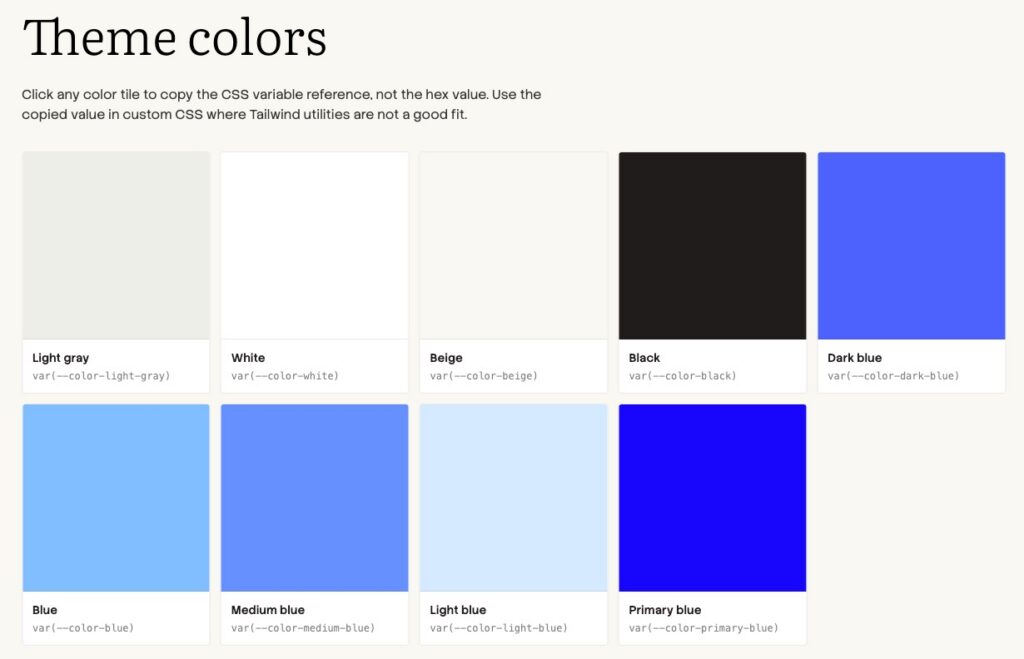
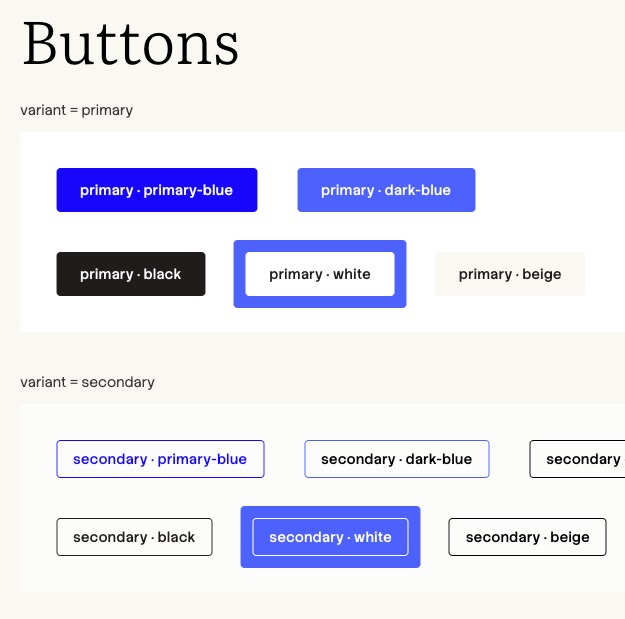
The sandbox page. Every project gets a /sandbox route that demonstrates every component in the system, in context, with real-feeling copy.
This serves three purposes:
- Developers reference it when adding new components
- AI agents read its source when generating layouts
- Stakeholders use it to understand what's actually possible without commissioning a custom mockup. You can see how a module is named and then tell the AI you want a section to be a “Hero with a right-aligned video followed by a trustmark row with XYZ logos”
It's a living style guide that doubles as AI training data.
SEO / AEO Guardrails
The SEO/AEO skill. A markdown skill file that prompts the agent through SEO and Answer-Engine Optimization on every page build: target keyword, search intent, title tag, meta description, H1 structure, schema markup, internal links, FAQ section if appropriate, and ingestibility checks for LLMs (clear factual statements, structured data, scannable headers). This used to live in an SEO specialist's head. Now it lives in a file the marketer's AI agent reads automatically.
We especially like Joost De Valk’s Astro SEO skill approach.
With these guardrails in place, the workflow changes shape entirely.
The New AI-enabled Workflows
We've seen four patterns emerge across our clients, and which one fits depends on the team's capabilities and how much they want to keep designers and developers in the loop. We'll walk through each, ordered roughly by how much of the old workflow they preserve.
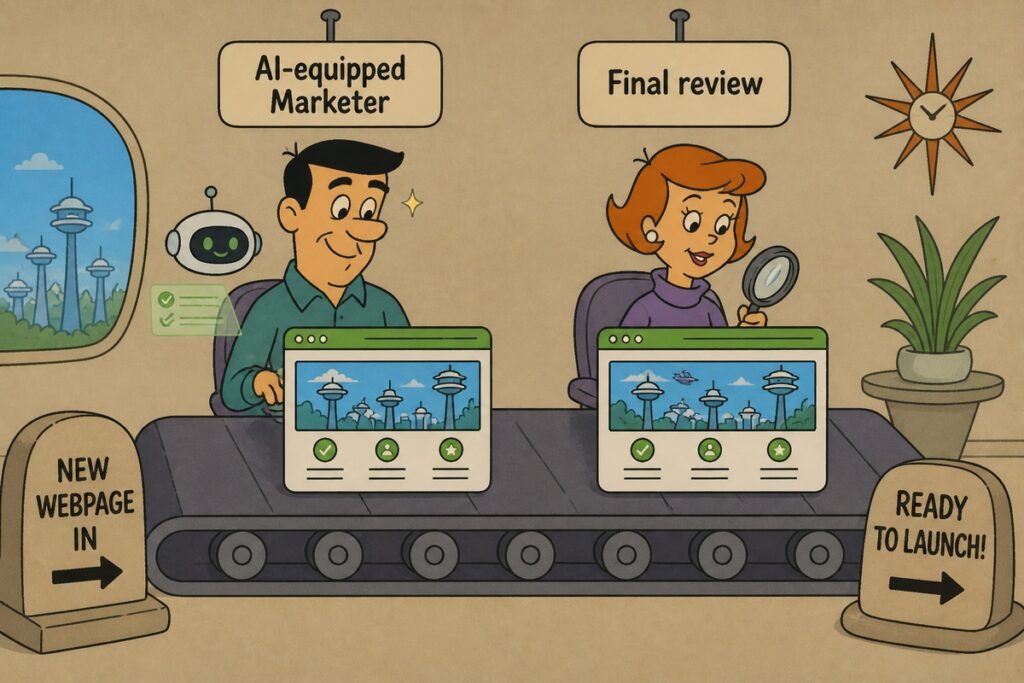
Workflow 1: Designer-Led, AI-Implemented
A designer still creates a mockup, in Figma or even just a rough sketch. Instead of handing it to a developer for a multi-day implementation, the designer or a generalist drops a screenshot of the mockup into Cursor or Claude Code with a one-line prompt: "Build this page using our existing components and design.md."
The AI generates the full page layout in code, pulling from the existing component library, applying the right spacing tokens, and producing mobile-responsive output by default. A developer reviews the diff, catches anything off, and ships it. What used to be three days of front-end implementation is now two hours of generation plus an hour of review.
This workflow keeps the designer's craft in the loop, which matters for clients who care about visual distinctiveness. It removes the developer bottleneck.
Workflow 2: Content-Led with Structural Markup
A content marketer writes the page in a markdown document (or even a simple Google Doc) and adds simple structural notes inline:
# Hero
Headline: Stop renting your customer data.
Subhead: Own your stack from the database up.
CTA: Book a 20-minute walkthrough

# Feature grid (3 columns)
- Self-hosted in your own cloud
- SOC 2 ready out of the box
- Migrate from Segment in an afternoon

# Testimonials (3, pull from sanity)

# FAQ (5 questions about pricing, hosting, migration)

# Final CTA
They drop this document into Claude Code with the project open. The AI builds the full page using the existing components, the brand guardrails, and the SEO skill. The marketer reviews the preview URL and shares it with their team, requests adjustments in chat, and pushes to a staging branch. A developer or senior teammate reviews and merges.
This is the workflow we see most often with content marketers who don't want to work directly in code. It preserves their natural medium (writing) and lets the AI handle the structural translation.
Workflow 3: Marketer-Direct in Claude Code
The most aggressive version. A marketer who's gotten comfortable with Cursor or Claude Code opens the project, prompts the agent through the page in conversation, iterates on copy and layout in real time, previews on a local dev server, and pushes a branch when they're happy. They drop the preview URL into Slack for team review and merge after a thumbs-up.
This sounds intimidating to marketers who haven't tried it. In practice, the marketers who learn this workflow describe it as the most fluid creative experience they've had with web content. They're not waiting for anyone. They're not translating their intent through three other people. The AI is fast enough that they can experiment with five layouts in the time it used to take to brief one.
This is also the workflow that most directly threatens the traditional in-house developer headcount, which we'll come back to.
Workflow 4: Mockup-to-Code with AI-Assisted SEO Pass
A hybrid for teams that have a designer but not a full-time developer. Designer makes the mockup. Marketer or designer feeds it into the AI to generate the page. SEO skill runs as a separate pass over the generated page, suggesting title, meta, headers, schema, and any structural changes for AEO ingestibility. Marketer reviews and ships.
This is essentially Workflow 1 plus an SEO checkpoint, useful for clients in competitive search categories where ranking is a primary KPI.
In an ideal world for a mid market and larger company, you’d have generalists building out new pages, blogs, resources and then dropping them in Slack or final workflow step so the experts in Design, Dev, and SEO could briefly confirm and offer final polish. That would slow this process back down but for high stakes work across a larger company, it could be worth it.
Where We Fit, and Why It Matters for Your Headcount
Here's the big shift impacting our clients: many teams running a marketing site no longer need a full-time developer on staff.
A year ago, a marketing team with an active site needed someone in-house who could build pages, fix CSS issues, set up the staging environment, troubleshoot the CMS, and handle the inevitable production weirdness. That was a full salary, full benefits, full ramp-up time.
Today, a marketing team with the workflows above needs:
- Initial setup. Someone has to architect the headless stack, set up the component library, write the design.md, SEO skill and other guardrails, configure a backend CMS, and set up the hosting for deployments.
- Training. The marketing team needs to learn how to drive Cursor or Claude Code on this specific project.
- Troubleshooting and problem-solving. When something inevitable breaks (because technology…) or a new component needs to be added to the system, someone with real engineering judgment has to step in.
That's our role in most of our current engagements. We do the initial build, write the guardrails, train the team, and stay on as fractional dev and workflow support. Our clients run their marketing site with one or two generalists doing the day-to-day work, and they ping us when they hit something the AI workflow can't handle on its own.
The economics shift dramatically. A full-time mid-level developer costs $130k-$180k in total compensation. Fractional support from an agency that knows your stack costs a fraction of that. The savings buy a lot of marketing campaigns.
What This Looks Like End to End
To make this concrete, here's a real comparison from a recent project. The client wanted a new product landing page.
Old way (what they would have done a year ago): Content marketer drafts copy, two days. Designer mocks it up in Figma, three days. Developer implements in WordPress with a PageBuilder, three to four days. SEO reviews and requests changes, one day plus revision cycles. QA and stakeholder review, two days. Total elapsed time: ten to twelve business days. Total team time: roughly 30-40 hours across four to five people.
What’s hardest about that flow is sometimes the content person doesn’t know the content to write until they see it in context. Or the designer doesn’t like the way a section of feature cards looks once they see it using the site’s components. There is a tango of content-dev-design where you can dance around and the target shifts as each discipline hits reality.
New way (what we are shifting to): Marketer writes a structural markdown brief (or simple Google Doc) in two hours. AI generates the page in Cursor or Claude Code in fifteen minutes. Marketer iterates on copy and a few layout choices over the next two hours. SEO skill runs a pass and suggests three changes, all accepted in five minutes. Designer reviews the preview URL and requests a small adjustment to the hero spacing, fixed in two minutes. Stakeholders review the preview URL in Slack the next morning. Published. Total elapsed time: less than two business days. Total team time: roughly 4-6 hours primarily across two people.
The result should be a better quality of output. Better SEO. Faster page load. Lower cost. These pages perform measurably better in conversion testing, which we suspect is partly because the marketer who understood the customer is the one driving the layout, not translating through three intermediaries.
What to Do With This
If you're running a marketing site in 2026 and you're still operating a four-person conveyor belt, you're paying for waste. Not because your people aren't talented. Because the workflow itself is now the bottleneck. The fix isn't to fire your team. It's to restructure how the work flows, set up the right guardrails, and shift the role of specialized expertise from "human gate" to "agent input."
If you want to see what this could look like on your own stack, the fastest way to start is to identify the next landing page or marketing page on your roadmap and run it through one of the workflows above as a pilot. Most of our clients started exactly that way: one page, one marketer, one AI agent, and a clear comparison to what the old workflow would have produced.
We're happy to talk through what this would look like for your team. The shift isn't minor, and most teams that try it don't go back.
Coming up next…
- The Design Dangers of an AI-enabled Webpage Workflow
- The Dev Dangers of an AI-enabled Webpage Workflow